Keep your memory current — revise a fact, catch a contradiction, never lose the past
A hands-on ENGRAM walkthrough · July 20, 2026
1. What you'll build
You'll take a single fact through its whole life — taught, corrected, contradicted, reviewed, and recovered — and watch recall always return the current truth while the history stays intact:
- Teach ENGRAM a fact with
remember. - Correct it in place with
revise— a governed supersession, not a raw edit. Recall immediately returns the new value. - Contradict it: record a newer belief that conflicts, and watch ENGRAM detect the contradiction on its own and auto-retire the stale one.
- Review the ones it isn't sure about: a mid-confidence contradiction lands in a human inbox — Knowledge Health → Gaps → Memory → Contradictions — where you approve or dismiss the supersession.
- Recover the past: point-in-time recall reconstructs what you believed at any moment, because the retired belief was never deleted.
2. Concepts in 60 seconds
- Supersede, don't delete. A correction mints a new memory that
SUPERSEDESthe old one. The old is flipped tosupersededwith avalid_untilstamp — recall-invisible, but kept. The chain is the same one ENGRAM already uses for article versions. - Three ways a belief changes. (1) Deliberate — you call
reviseorforget. (2) Inferred — ENGRAM notices two of your memories contradict each other and proposes retiring the stale one. (3) Deterministic — revising a KB article automatically retires the prior version's memory. - The tier machine. An inferred contradiction is routed by confidence: T1 auto-applies when it's clearly a contradiction and confidence is high; T2 asks a system-side judge for the mid-band; T3 hands the rest to a human in the review inbox. It is fail-closed — a check that can't run never retires a belief.
- Validity windows. Every memory carries
valid_from/valid_until, so “what did I believe at time T?” is a precise query — and the answer is never lost, because superseding preserves the old node.
revise or forget it —
those operate only on your own memories.
3. Prerequisites
- An ENGRAM instance you administer, with Fact Update enabled — your operator sets
FACT_UPDATE_ENABLED = onand the rollout mode tohybrid(T1 auto + T2 judge + T3 inbox). - An MCP-over-HTTP client with a Bearer PAT (Claude Code / Claude Desktop) to call the memory verbs — or you can do the same over the authenticated REST API.
- Access to the Knowledge Base → Knowledge Health panel for the human-review step.
4. Step 1 — Teach ENGRAM a fact
Record a fact you know will change. As yourself (your PAT), over MCP:
remember(
  content="The API rate limit is 100 requests per minute.",
  scope="long_term"
)
That's a first-class belief now — it comes back on any related recall. Keep the returned
memory id handy for the next step (or find it later in the Memory Explorer).
5. Step 2 — Correct it in place: revise
The limit changed. Don't edit the old memory — revise it:
revise(
  memory_id="<the rate-limit memory id>",
  new_content="The API rate limit is 500 requests per minute."
)
What ENGRAM does — and deliberately does not do:
- It derives a new memory from
new_content(extracting and resolving its entities, exactly likeremember) — never a raw text edit of the old node. - The new belief
SUPERSEDESthe old; the old flips tosupersededand drops out of recall. - A follow-up
recall("api rate limit")returns only “500 requests per minute.” — the current truth. - The new belief is itself checked against your other memories, so a correction can cascade if it conflicts with something else you believe.
6. Step 3 — Let ENGRAM catch a contradiction (no verb at all)
You don't have to tell ENGRAM a fact changed. Just record the new reality as an ordinary memory — as if in the flow of work:
remember(
  content="The deployment target is production.",
  scope="long_term"
)
# …when you'd previously recorded: "The deployment target is staging."
At the next consolidation tick, ENGRAM's detector notices the two beliefs are about the same thing and conflict. It confirms the contradiction with a system-side check, and — because the newer belief clearly wins and confidence is high — T1 auto-supersedes the stale one. Recall now returns only production. You did nothing but keep working.
7. Step 4 — Review a contradiction the machine wasn't sure about 🎯
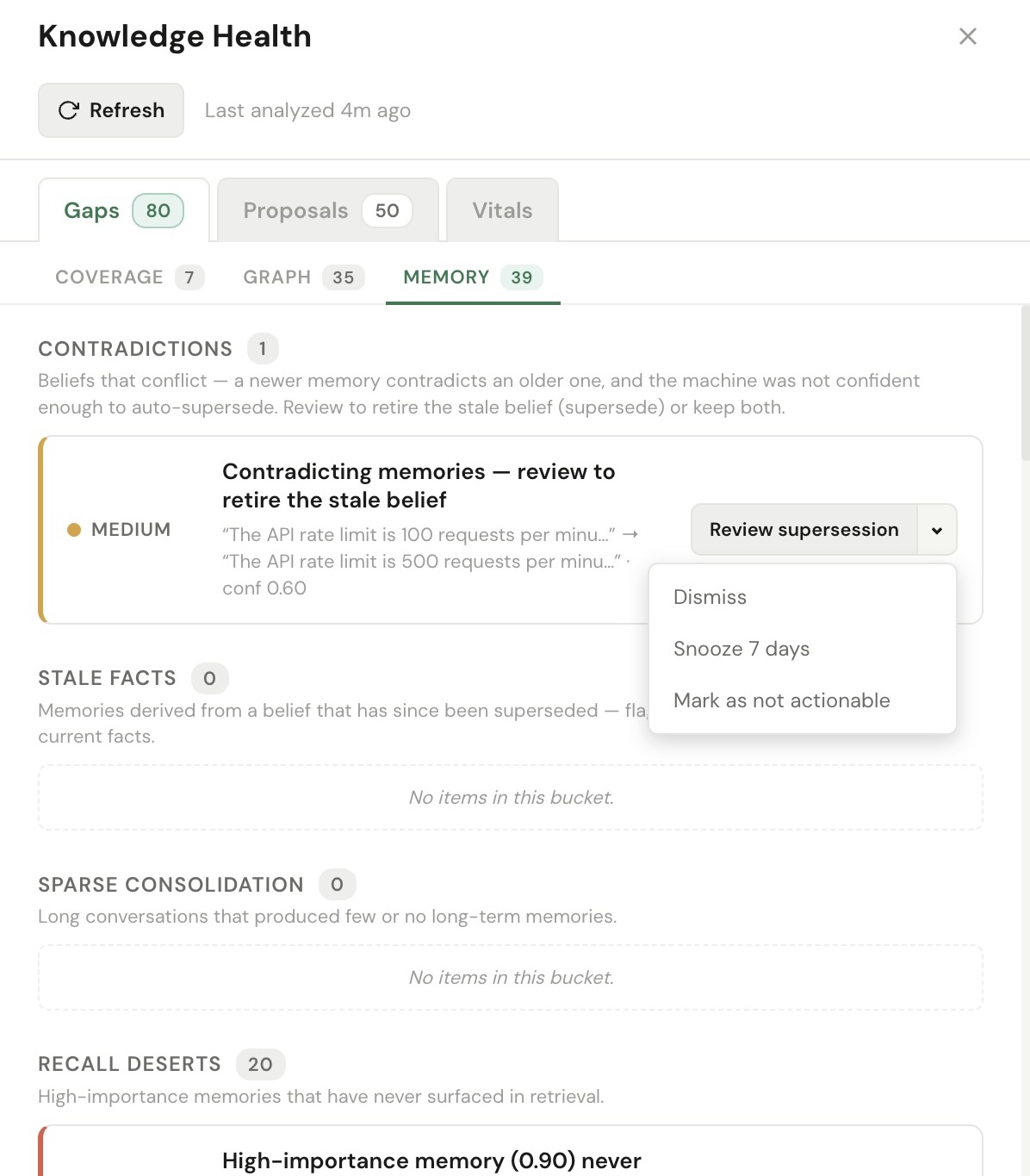
Not every conflict is clear-cut. When the detector is only mid-confidence, ENGRAM won't silently retire a belief — it routes the decision to you. Open Knowledge Base → Knowledge Health → Gaps → Memory, and the Contradictions bucket shows the conflict with both beliefs and the confidence:
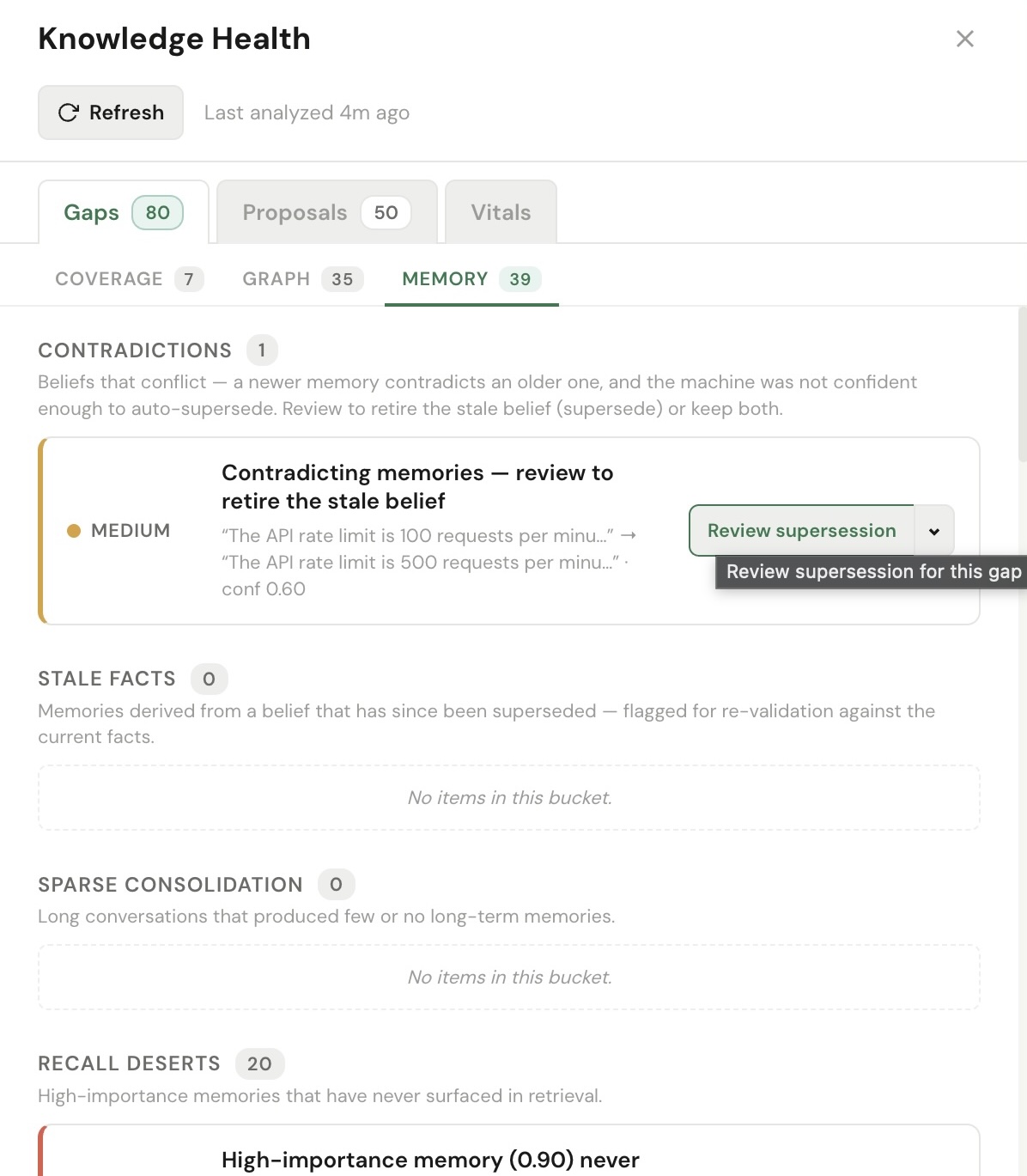
Click Review supersession. The contradiction leaves the bucket and becomes a proposal in the Proposals inbox, carrying the two beliefs as its title:
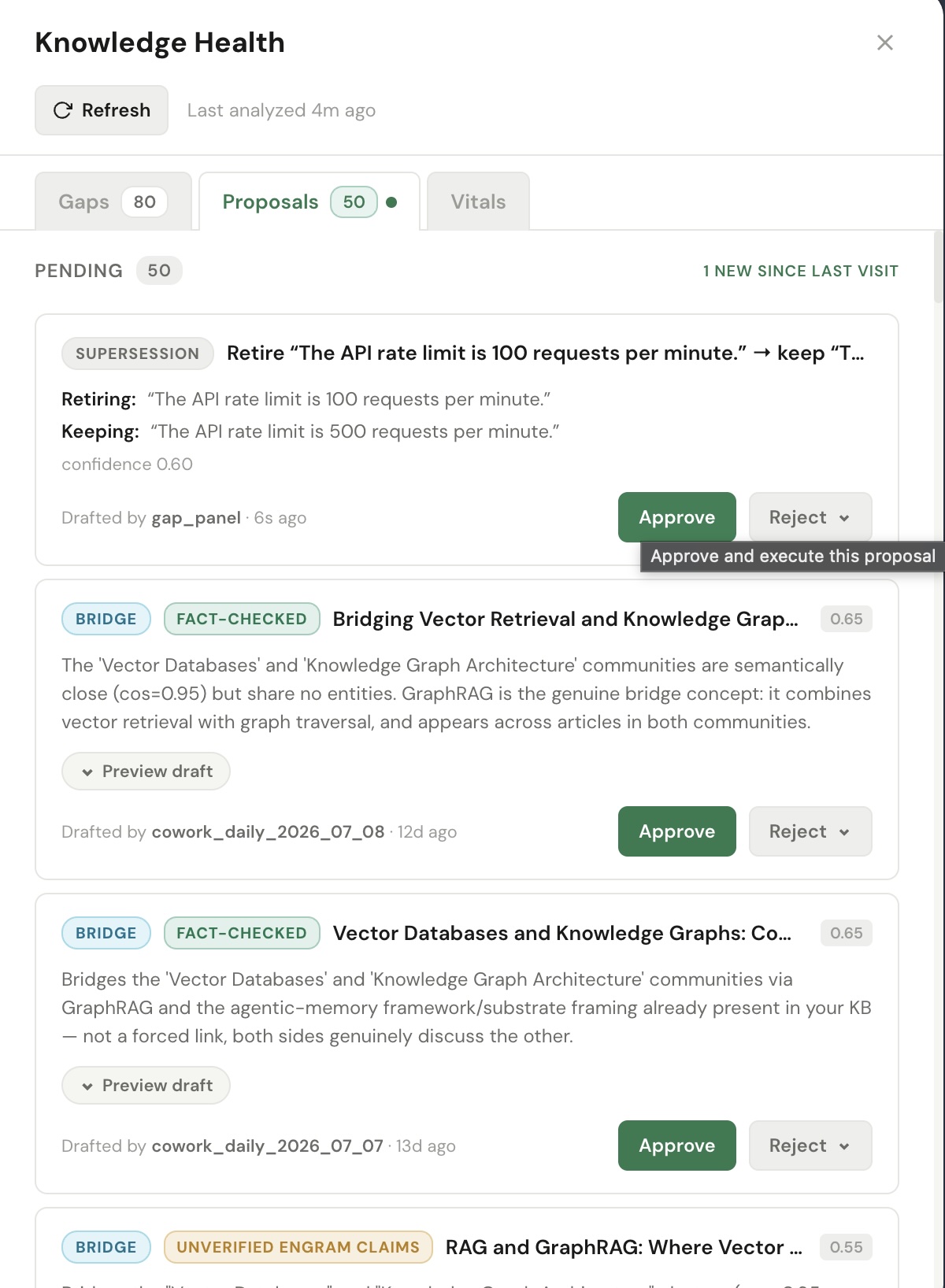
Approve, then Execute: ENGRAM supersedes the stale belief and recall returns the current one. Reject keeps both — you decided it wasn't really a conflict. Either way, a human made the call, with both beliefs in view.
8. Step 5 — Time travel: point-in-time recall
Every belief you retired is still there, bounded by its validity window. Ask what you believed at a moment in the past:
GET /api/memory/long-term/point-in-time?user_id=<you>&as_of=2026-03-01T00:00:00Z- A timestamp inside the old belief's window returns the value you held then — “100 requests per minute”, “staging”.
as_of=nowreturns only the current beliefs — “500”, “production”.- Default recall is always current-only; the retired beliefs are never reinforced and never skew your stats — they exist purely for audit and history.
The Memory Explorer shows the same thing visually: active beliefs, with their superseded predecessors available as version history.
9. Step 6 — forget and revert
Sometimes a belief isn't wrong — it's just no longer something you want to hold. Retract it:
forget(memory_id="<a memory id>") # → status 'retracted', recall-invisible, no successor
forget is a non-lossy retraction — no LLM, no successor, kept for audit. And
because nothing was destroyed, it's fully reversible:
revert(memory_id="<the same id>") # → status 'active' again
revert restores a retired belief — clearing the retraction and dropping any incoming
supersession edge. That reversibility is exactly what makes the automatic T1 supersession safe to trust:
a wrong auto-retirement is one call away from undo.
10. What just happened (peek under the hood)
- Every correction was a supersession.
revise, the auto-catch, and the human-approved review all minted a new belief thatSUPERSEDESthe old — the current value wins at recall for free, because recall filters to active beliefs. - Nothing was deleted. Retired beliefs kept their content and got a
valid_until, so point-in-time recall could reconstruct the past. - The machine did the easy calls; you did the judgment calls. High-confidence contradictions auto-resolved (T1); the ambiguous one waited for you (T3) — with both beliefs in view.
- Reversible by design.
forgetretracts andrevertrestores; a bad supersession is undoable — which is what licenses trusting the automatic tier.
11. Going further
Revise an article, retire its memory automatically
The three triggers include a deterministic one: when you revise a KB article, the memory that represented the old version is superseded by the memory of the new version — no detection, no LLM, exact. Your KB and your beliefs about it stay in lock-step.
Dependents get re-checked, non-destructively
When a belief is retired, memories that were co-derived with it are flagged for a re-check. A background sweep re-validates each against your current beliefs — retiring the ones that are now stale (through the same governed path) and clearing the rest. It only ever re-derives or flags; it never deletes.
A shared memory follows its successor
If you'd shared a belief with a teammate and then superseded it, their grant follows to the new belief automatically — they never strand on a retired id. Correcting your own memory can't silently break what a teammate can see.
12. Troubleshooting
revise / forget returns disabled
- Fact Update isn't enabled on your instance — the correction verbs are gated on
FACT_UPDATE_ENABLED. Ask your operator to turn it on.
A contradiction never appears in the Contradictions bucket
- Rollout mode is
flagoroff, nothybrid— inhybrid, high-confidence conflicts auto-resolve (T1) and only the mid/low-confidence ones reach the inbox, so a clear-cut contradiction may simply have auto-applied. Check the Memory Explorer: the stale belief will be superseded. - The two beliefs weren't recognized as being about the same thing — they need overlapping entities for the detector to compare them.
- Reopen or refresh the Knowledge Health panel — contradictions are fetched on open.
Someone else's memory won't revise
- By design — corrections are owner-only. A grant lets you read a teammate's belief, never retire it. You'll get a not-found rather than an edit.
Appendix — wiring your own client
Point an MCP client at your instance authenticated as yourself, e.g. with Claude Code:
claude mcp add --transport http engram https://<your-engram-host>/mcp/ \
  --header "Authorization: Bearer engram_pat_…"
Then run Step 1's remember, Step 2's revise, and a
recall to watch the current value win.